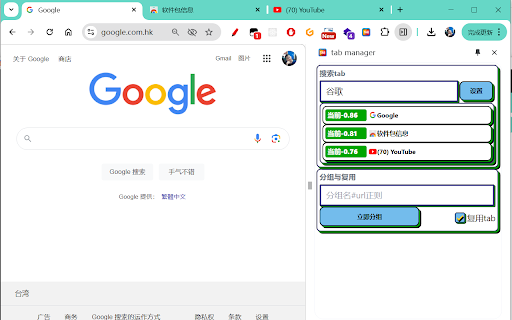
What is tab manager?
SiliconCloud Tab Manager is a browser extension designed to enhance tab organization and management. It offers features like intelligent grouping of tabs, AI-powered search for open tabs, and the ability to reuse existing URLs to prevent excessive tab opening. This tool aims to streamline the browsing experience by maintaining a tidy workspace and reducing clutter.
About
A tool for efficient tab organization and management.
How to Use tab manager
To use SiliconCloud Tab Manager, simply install the extension in your browser. Use the AI search feature to quickly find open tabs, or let the manager intelligently group your tabs for better organization. Reuse existing URLs whenever needed to keep tab count down.
Frequently Asked Questions
Is SiliconCloud Tab Manager free to use?
Yes, SiliconCloud Tab Manager is free to use with access to all core features.
Can I recover closed tabs using SiliconCloud Tab Manager?
SiliconCloud Tab Manager focuses on managing open tabs and does not provide functionality for recovering closed tabs.
Quick Info
- Pricing
- free
- Platforms
- browser-extension
Best For
- Quickly locate and jump to specific tabs while browsing.
- Organize open tabs into groups by category or project.
- Avoid opening duplicate tabs with the same URL.
Tags
#Tab management#Browser extension#AI-powered search#Tab grouping#Productivity tool